Our phone lines are currently down. We are working on the issue with our phone provider. Please use the Chat option on our website or log in to Online Banking or Mobile App and send a message or chat.


Sometimes it is just easier to bank from home. We get it!
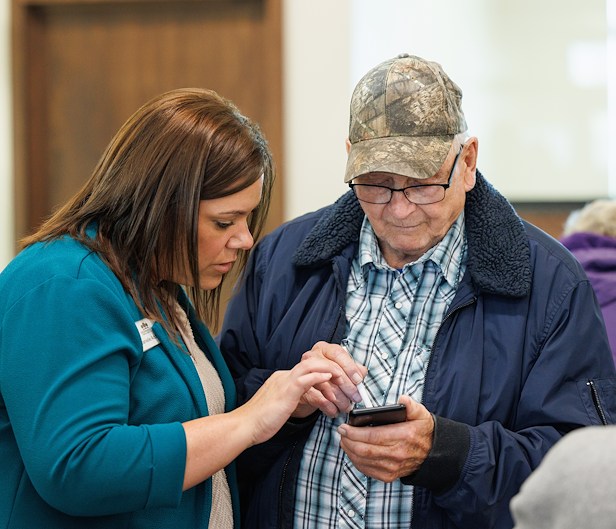
Online Banking
Check account balances, transfer funds, print statements or even pay your bills. No matter what you need to do, Online Banking can help you accomplish it.
Customize your Online Banking to Fit Your Needs
One of the best features of our credit union online banking is the ability to customize it to your needs!
The video below demonstrates how to set up or change your personal profile, receive notifications, set up alerts and more!
Forgotten Password or Username
We know in this technology driven world that sometimes we forget things like passwords or usernames.
If you forget your Online Banking password or username and need help, we have videos to help you retrieve and reset those pieces of information.
Forgot Password
Forgot Username
Make the Most Out of Online Banking
Moving funds between accounts or even another MMFCU member is easy!
Manage your funds at home or on the go with Online Banking or the Mobile App. Learn more about how to transfer with the videos below.
Transfer Between Accounts
Transfer to Another MMFCU Member
Make a Payment to Your MMFCU Loan
Link an External Account in Online Banking or Mobile App
Online Banking Perks
Not only do you have the option to transfer funds or monitor your account history, but you have the opportunity to keep track of your credit score, pay your bills and even receive your statements electronically.
Monitor Your Credit Score
Mid Minnesota Federal Credit Union has your financial well-being as our number one priority, so we are making it easy for you as we partner with Savvy Money® so that you can monitor your credit score while using online banking or the mobile app.
Pay Your Bills
Pay your bills anytime, anywhere. Set up automatic payments or monitor your payments in our free online bill pay in both Online Banking and Mobile App. Business members also have access that is geared towards their business’ needs.
Paperless Banking
Manage your money and go paperless by registering for eDocuments. You will receive your statements, notices and tax documents electronically. By going paperless you protect yourself from statements being lost, stolen or even delayed in the mail as well as saving on paper and postage for the credit union you own.
Digital Investing
Start Investing Directly From Your Checking Account!
We’ve partnered with InvestiFi to provide you a new investment portal and a straightforward, secure way to start building a portfolio to pursue your financial goals –all within your existing online banking experience. You can buy, sell and hold cryptocurrencies, stocks, and ETFs (Exchange-Traded Funds) with no additional apps to download.
Online Banking System Requirements
Check your device to make sure it meets system requirements for Online Banking or the Mobile App. It is essential to ensure that your device is up-to-date to be able to manage your accounts anywhere 24/7.
Digital Account Deletion
Looking to delete your information from online banking or the mobile app? You'll find instructions on how to do so, by clicking the button below.
Frequently asked questions
We're here to help, wherever you are on your financial journey.
- How do I request deletion of my digital banking information from Online Banking or Mobile App?
You can find instructions to request deletion of your digital banking information from Online Banking or Mobile App. You can find instructions on how to request the deletion here.
- How do I access my account online?
To access your account online, you must register for online banking or the mobile app.
- How do I hide accounts in Online Banking?
Once you are logged into your Online Banking, click on Settings in the banner at the top right of the screen.
Once you are on the Settings screen, click Accounts.
On the Accounts screen locate the account that you would like to hide. Once you have found the account, click on the pencil icon to open the details for the account. Check the box for Hide This Account and choose Save.
If you decide in the future that you would like to see the account again, navigate back to the Account details for that account and uncheck the box for Hide This Account.
- How do I sign up for electronic statements?
To sign up to receive your statements electronically every month, you will need to be registered and use Online Banking to view your statements. Then, sign up for eDocuments. Once you sign up for eDocuments, you will receive all notices electronically for statements, tax forms, late notices, etc.
- How long is my transaction history available to me in Online Banking?
To limit the storage of personal data, transactions for both member and business accounts will be available going back 24 months for all members.
You may retain transaction history on your accounts by downloading from online banking or a history of all account statements is available in eDocuments in Online Banking or the Mobile App.
For Example:
As of April 1, 2022 I will see transactions dating back to: April 1, 2020
As of March 1, 2022 I will see transactions dating back to: March 1, 2020
As of February 15, 2022 I will see transactions dating back to: February 15, 2020
- Can I add a memo to a transaction in Online Banking or the Mobile App?
Yes. While viewing the transactions for your selected Account, if you click on the transaction there will be a field that opens up underneath the other details of the transaction called ‘Transaction Memo.’ You can type in your memo here.
If you export your transactions, this memo will show up in the spreadsheet so you can view your transactions based on the memo.
- Can I change my transaction descriptions back to the old way they showed? Yes, you can revert the transaction descriptions back to the original description, however, you are not able to revert all transactions at this time. They will need to be changed back individually, one-by-one.
- How do I revert a transaction back to the original description?
Depending on whether you are in Online Banking or the Mobile App the directions are slightly different.
Online Banking:
- Log into your Online Banking, then go to view the account(s) transactions.
- Click on the individual transaction that you would like to revert to the original description.
- Click on Question/Dispute a Transaction on the right.
- Then choose “The transaction’s simple description is incorrect.” Click Select.
- A panel will open with “Unrecognized description?” where you are able to select to keep the simplified transaction description or the original transaction description. If you want to revert to the original transaction description, you will select Original Description and then click Update to apply.
Mobile App:
- Log into the Mobile App, then click on More in the bottom right corner.
- From the options, find and click on Financial Tools and then select Spending and Savings Goals.
- Click on View Transactions within the Categories chart.
- Next, you will find the transaction that you want to revert and click on it to expand it. A small “i” icon will appear, tap it.
- You will then be on a page with “Unrecognized description?” at the top where you are able to select to keep the simplified transaction description or the original transaction description. If you want to revert to the original transaction description, you will tap the Original Description and then click Update to apply.
- Why do my recurring transactions keep showing up incorrectly even though I already switched it back to the original transaction description?
If you have a recurring transaction that you are seeing show up incorrectly after reverting back to the original description, please reach out to us by calling (218) 829-0371 or by stopping by your local MMFCU branch.
Need help or have questions?
Chat with one of our expert staff:
Investment advisory services provided by AdvisiFi, LLC (“AdvisiFi”), an investment adviser registered with the Securities and Exchange Commission (“SEC”). Registration does not imply a certain level of skill or training. AdvisiFi is a wholly-owned subsidiary of InvestiFi Inc (“InvestiFi”). Brokerage services are provided by InvestiFi Securities LLC (“InvestiFi Securities”) and RQD* Clearing LLC (“RQD”), SEC-registered broker-dealers and members of FINRA/SIPC. Brokerage services are available only to residents of the United States and in jurisdictions where InvestiFi Securities is registered. Brokerage and advisory accounts are not held with the financial institution and are held with AdvisiFi, InvestiFi Securities, and RQD, respectively. You may check the background of these firms by visiting FINRA's BrokerCheck. Cash and securities offered by InvestiFi Securities and held by RQD are (1) not insured by the FDIC, NCUA or other government agency, or by any private insurance offered in lieu of FDIC or NCUA coverage, (2) not guaranteed, (3) not financial institution deposits or obligations, and (4) may lose value.
Digital assets (cryptocurrencies) are made available and held in a digital wallet maintained by SAFE Trust Company, a Wyoming trust company, not the financial institution or InvestiFi or its affiliates. SAFE is a separate entity from, and not an affiliate of Mid Minnesota Federal Credit Union or InvestiFi. Digital assets are (1) not federally or privately insured; (2) not obligations of Mid Minnesota Federal Credit Union; (3) not guaranteed by Mid Minnesota Federal Credit Union; (4) heavily speculative and volatile; (5) may have associated fees; (6) may not allow account holder recourse; and (7) offered by a third party. Mid Minnesota Federal Credit Union may receive compensation from your purchase of digital assets. Digital assets (i.e. cryptocurrencies) held in your digital asset account with SAFE (i.e. Crypto account) are not insured by any government or private entities, including, but not limited to, NCUA or ASI/ESI. Your digital investing account does not support wallet-to-wallet transferring of your digital assets (i.e. Cryptocurrencies). You should carefully consider whether buying or holding digital assets is suitable for you in light of your financial situation. Digital assets are not obligations of Mid Minnesota Federal Credit Union and are not guaranteed by Mid Minnesota Federal Credit Union.